Health Center
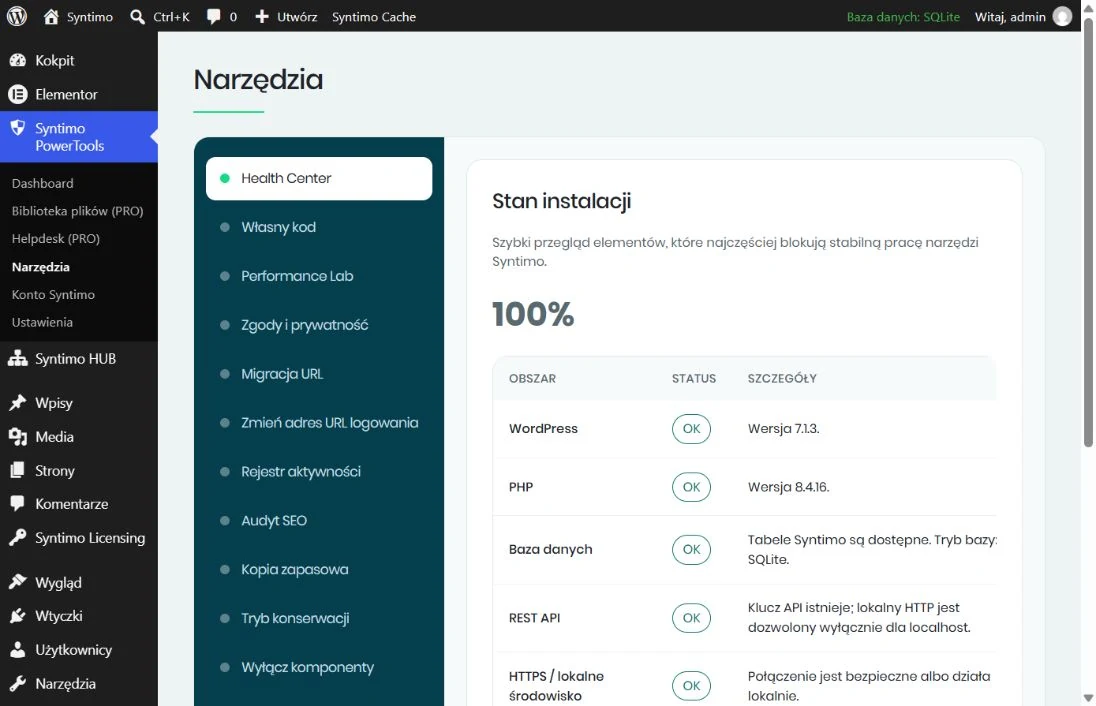
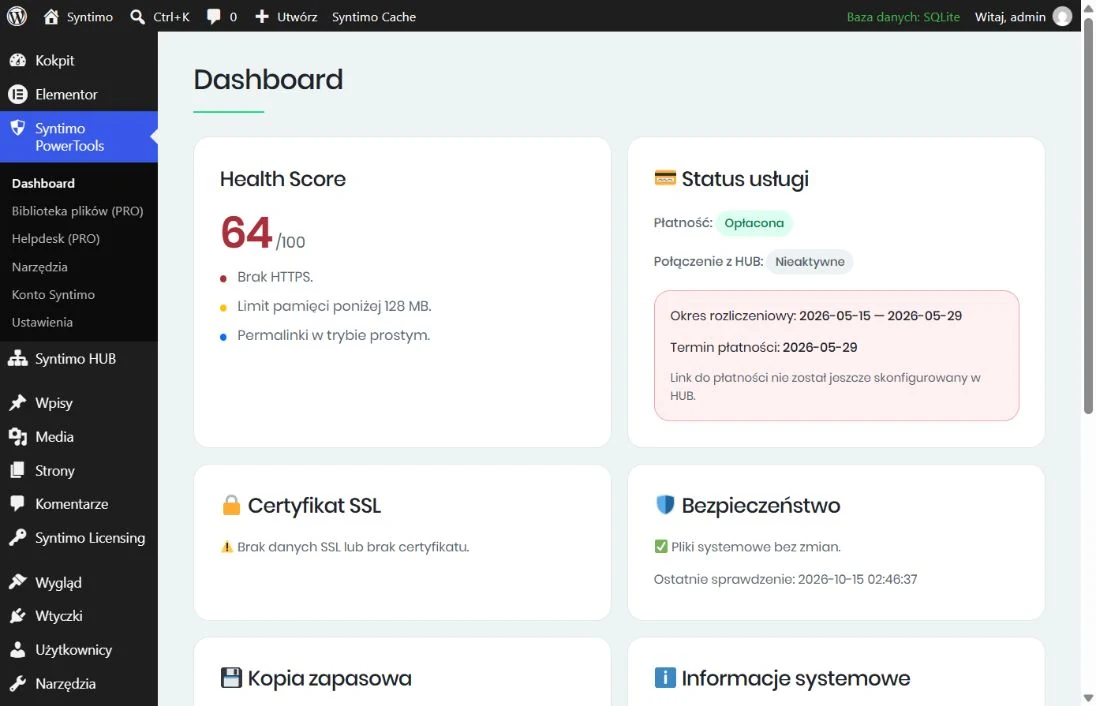
Check versions, the database, REST API and backup readiness. The dashboard adds a Health Score and alerts.

One website or a portfolio of client installations? PowerTools helps maintain a site, HUB organises care across websites, and Canvas provides a starting point for your design.
PowerTools 1.2.42 · HUB 1.2.47 · Canvas 1.0.0
Each element has a different role. Start with PowerTools on one website, add HUB for client care, and choose Canvas as the foundation for your design.
PowerTools brings administrator tools together. Check installation health, prepare a backup and tailor settings to your site. It can work independently; connecting to HUB adds a central way to manage site care.
Check versions, the database, REST API and backup readiness. The dashboard adds a Health Score and alerts.
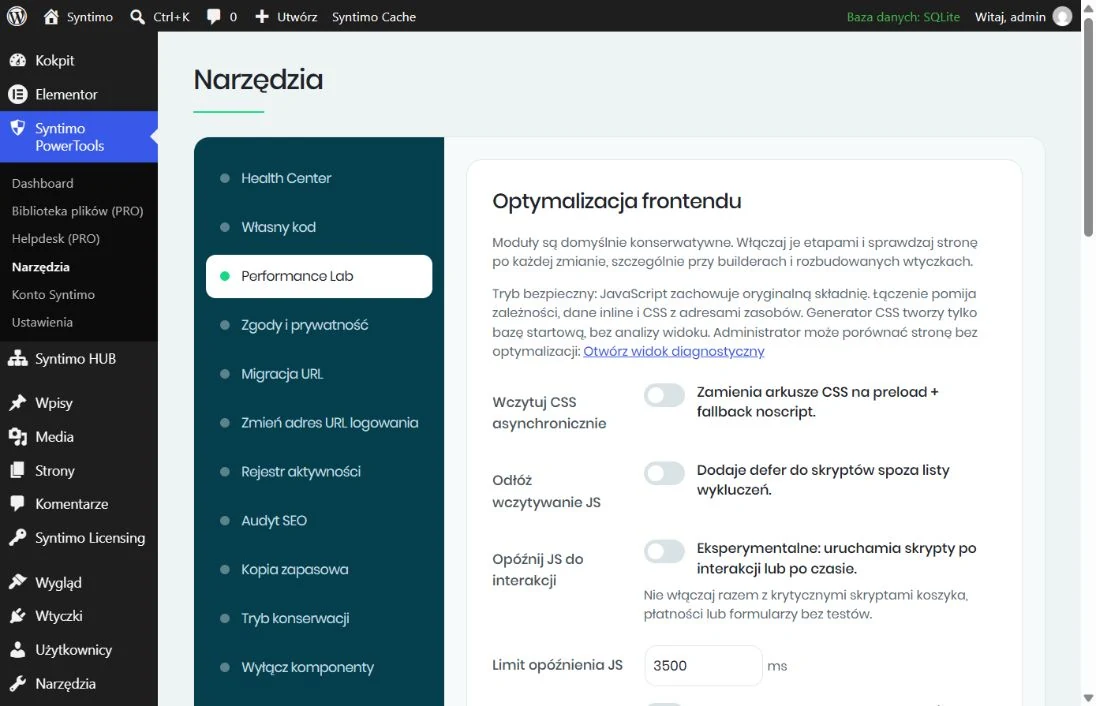
Control how CSS, JavaScript and media load. Enable options gradually and compare the result on your website.
Backups, file integrity checks, an activity log, SEO auditing and URL migration support everyday work.
Configure a banner, service categories and consent handling. Match the setup to the scripts and requirements of your actual website.
Choose an area and expand its description. Local tools work independently; remote-management features are described separately.
Review Health Score, alerts, WordPress and PHP versions, Syntimo database tables, REST API configuration and HTTPS. Check the backup directory, stored integrity baseline and activity logging. The score organises diagnostics; it is not a security certificate.
Load CSS asynchronously, apply defer and experimentally delay JavaScript until interaction or a chosen timeout. Remove HTML and CSS comments, combine selected local assets and configure exclusions. The generator supplies starter CSS without analysing the styles critical to a particular viewport.
Enable lazy loading for images and iframes, with responsive placeholders. Compare the page in a diagnostic view without optimisation. Clear asset cache, LiteSpeed Cache and available Opcode/APCu from the admin bar. Availability depends on the server and installed plugins.
Configure the banner, consent categories, service registry and Google Consent Mode v2. Associate scripts and embedded content with categories to hold execution until consent. A shortcode displays the service registry to visitors.
A static HTML scanner helps identify services needing configuration. The pseudonymous consent log includes retention settings and CSV/JSON exports. Agency templates help transfer settings; importing does not automatically enable the banner. This module is neither a certified Google CMP nor a TCF implementation, and does not replace legal assessment.
Create a backup of files and the database, files only or the database only. Backups are stored locally on your hosting. The URL migrator also provides SQL backups of selected tables and SQL import. Off-server storage and restoration checks require a separate plan.
Compare selected critical WordPress files against stored SHA-256 hashes. Review modified, new or deleted files and SSL certificate information. This checks specified files rather than providing a comprehensive malware scanner.
Set a custom login URL, redirect the default address and accept usernames, email addresses or both. TOTP code configuration and XML-RPC controls are available. Choose settings that suit your integrations and administrators.
Review recorded actions with dates, users and IP addresses; export CSV, pause recording or clear entries. The debug.log viewer shows up to 200 recent entries and masks selected sensitive data. Debug mode helps investigate errors.
Check 404 responses, an XML sitemap, the Sitemap declaration in robots.txt and JSON-LD data. The audit also examines indexing settings, X-Robots-Tag, permalinks and homepage image ALT text. The link list helps review URLs; it is neither a complete crawler nor a Lighthouse run.
Add code to head, the start of body and the footer with configurable priorities. Manage robots.txt content and edit .htaccess; file writes keep a previous-version backup. The .htaccess feature needs a server that supports it. Code locking can limit local edits during HUB management.
Replace addresses in selected tables while preserving WordPress serialised data structures. Start with a dry run, review results and create an SQL backup before writing. SQL backup import supports migration work.
Choose coming-soon or maintenance mode, using a default template, minimal template or your own page. Grant access to logged-in users or selected roles. Separate controls disable the block editor, comments, RSS/Atom/RDF feeds and author archives.
Configure the sender name/address, SMTP server, port, encryption and authentication. Store settings for Maps Embed API, reCAPTCHA, reCAPTCHA v3, Adobe Fonts and Font Awesome Pro. Saving a key alone does not automatically integrate every form or page builder.
Transfer supported settings between installations as JSON. Export omits passwords, tokens, secret keys and the agent API key. Enter credentials separately for each site.
Link an installation to your Syntimo account to check its licence and entitlements. HUB/PRO integration adds remote diagnostics, backups, plugin/theme updates preceded by a backup, a file library and a support centre with tickets and attachments. Separately control remote code editing, activity-log access and SEO audits. HUB messages and billing information appear in the site dashboard.
This scope covers PowerTools 1.2.42. HUB/PRO features require suitable configuration and licence entitlements. Optimisation, backup and diagnostic tools support site maintenance; results also depend on hosting, the theme and other plugins.
Install HUB on the WordPress site you use to manage client care. It connects to PowerTools on managed websites and gathers the information needed to plan your next actions.
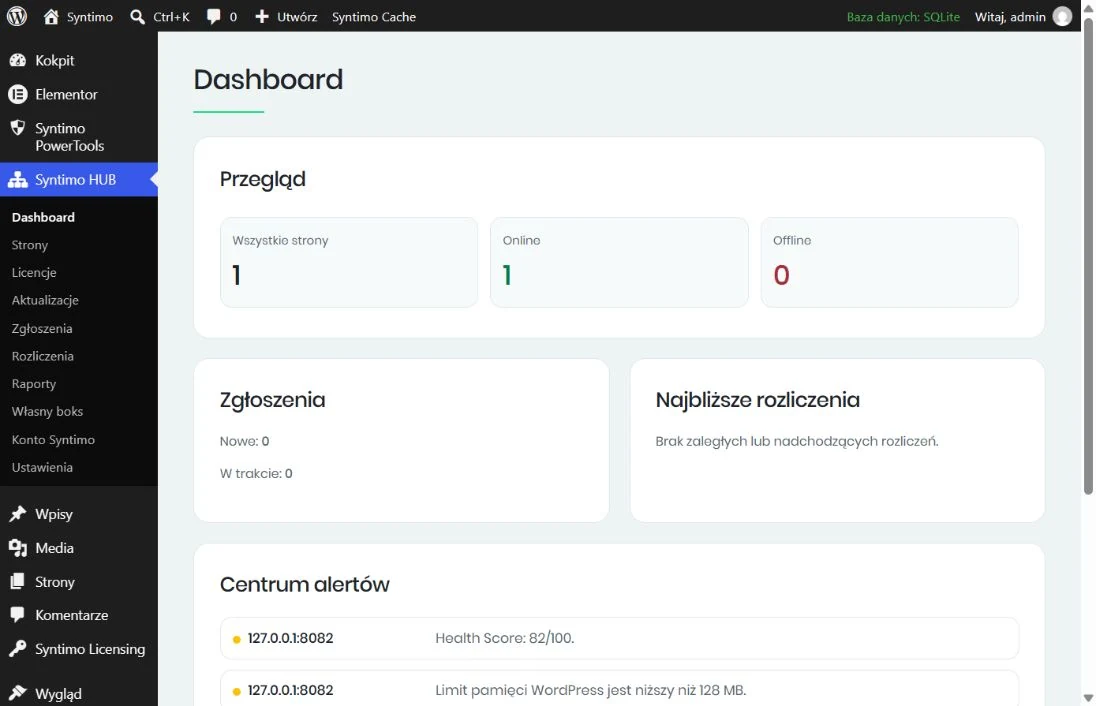
Check connection status, Health Scores and issues reported by connected installations in one panel.
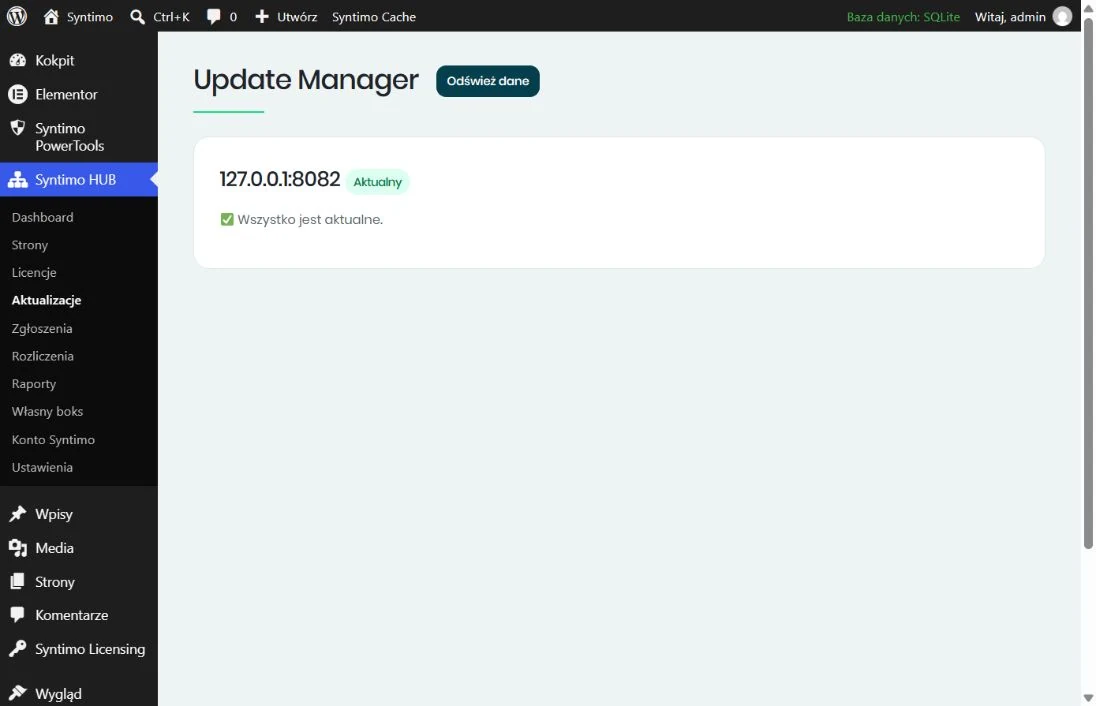
Update Manager shows available updates. For supported plugins and themes, it offers a backup-before-update action.
Organise client requests, billing dates and messages delivered to PowerTools. Reporting tools are also available.
Connect each website individually. Features depend on installation settings, connectivity and the licence you hold.
Canvas is a lightweight starter theme for building your own website design. It works with Elementor and the WordPress block editor; Elementor is optional.
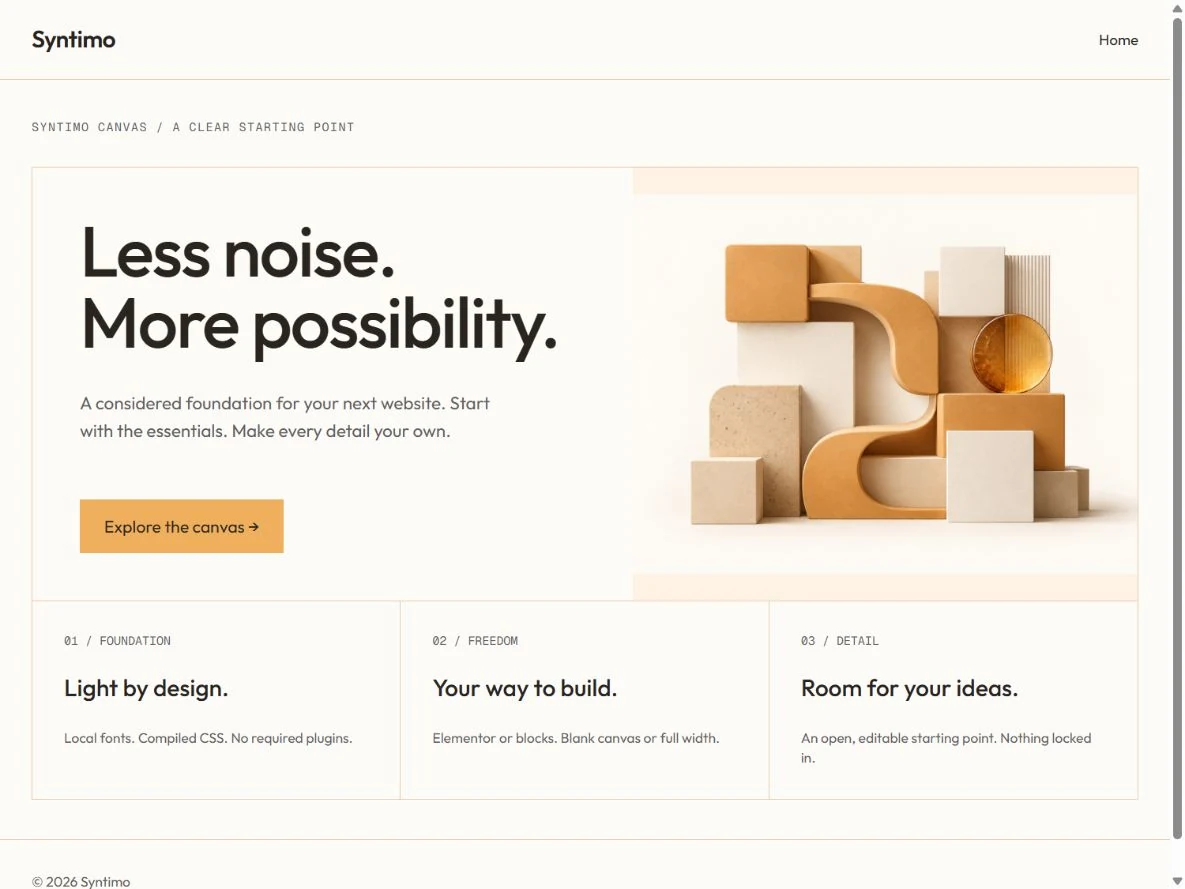
Default, full width and Blank Canvas without a header or footer. Choose the foundation that suits your project.
Tailwind CSS ships compiled with the theme. A deployed site needs no Node.js, external CDN or remote build service.
Edit the optional studio pattern in the block editor. Activating the theme neither creates pages nor replaces existing content.
Introduce your visitors to the topic.
Organise the essential information.
Show the next step.
This diagram shows a heading, columns and a button. It illustrates a layout you can build in the block editor.
Canvas is a theme; PowerTools and HUB are plugins. Their roles complement each other, but you do not need the entire set at once.
Connect PowerTools and HUB to the Syntimo.com customer panel. View your licences, activations and the installation’s last contact. Revoke an activation when needed.
Open Syntimo Account and start a connection. The plugin will display a one-time code.
Sign in using an email link, check the product and website address, and approve the code.
Return to the plugin, check confirmation and manage the activation in your customer panel.
Linking a licensing account and connecting PowerTools to HUB are separate steps. Free and PRO capabilities follow your entitlements.
Open your Syntimo accountScreenshots come from a running local installation, with no interface retouching. Statuses and dates describe that environment, rather than a guaranteed result on every website.
No. PowerTools can work independently on a website. HUB is useful when you want to manage website care from a central panel.
The tools help detect issues and perform tasks. Updates, backups and optimisation still need appropriate configuration and verification.
No. The theme works without Elementor. Elementor Pro can take over selected theme areas if you use its Theme Builder.
Tell us how many sites you manage and what you need. We will agree on the scope, delivery and licence configuration.
A single site, a shop or a client portfolio? Let’s establish which tools will help your work.