From egg to legend
Development stages show your Niblon’s journey. Evolution combines the required Niblum with stage-specific missions.

Syntimo’s flagship product, in advanced development. Documents with a powerful editor, files, a calendar, notes and contacts create your own space for everyday plans and bigger ideas.
Meet Niblons — your digital companions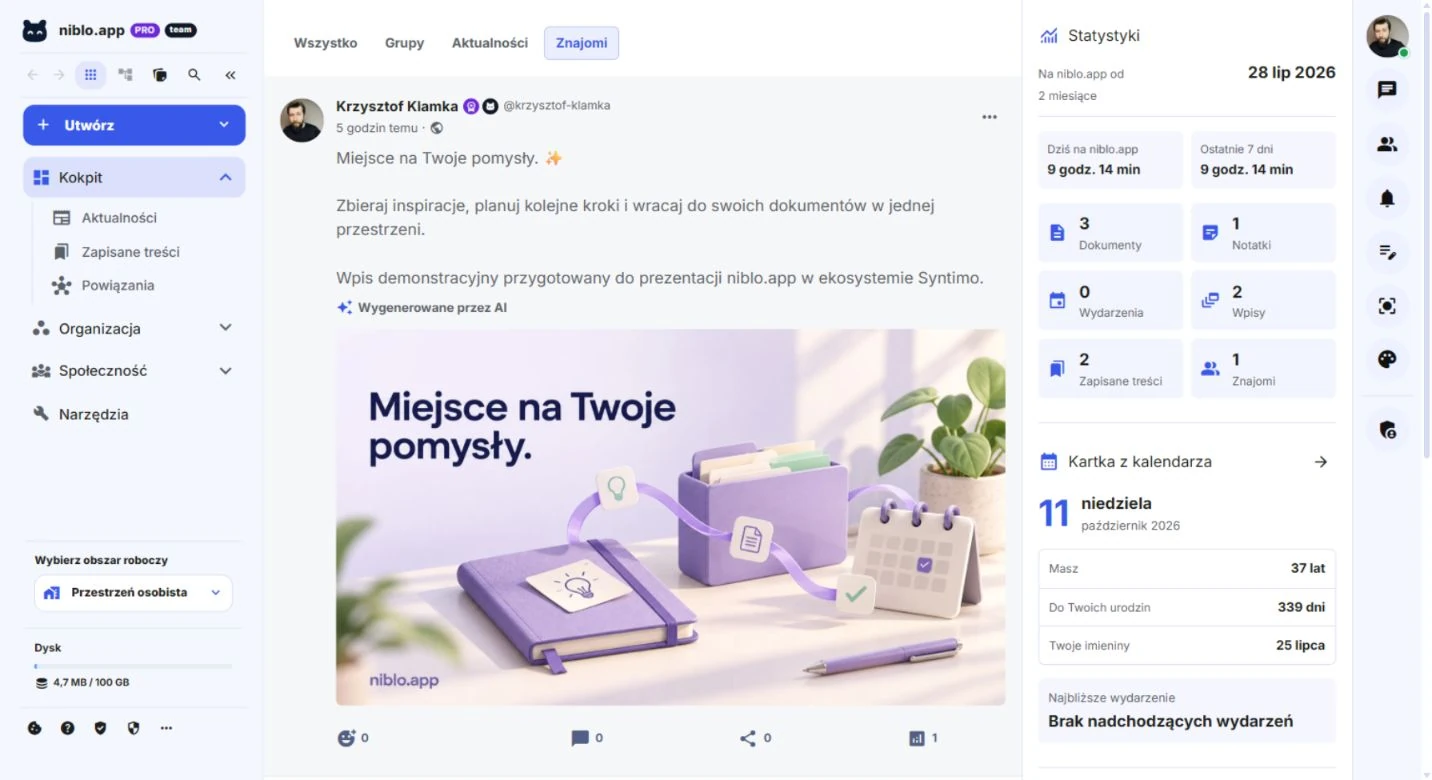
 Dashboard
Your hub for everyday matters, updates and saved content.
 Drive
DriveKeep files organised and collect materials you want to access easily.
 Documents
A place for content, notes and ideas. Documents is already part of niblo.app.
 Organisation
Calendar, reminders, notes and focus sessions support your everyday plans.
 Community
Contacts and messages help you stay connected.
 Niblons
Digital companions, missions and achievements. Develop your Niblon through activity in the app.
 Connections
Link ideas and materials around your projects.
A Niblon is a digital character linked to your activity in niblo.app. It adds context to everyday actions: track achievements, complete missions and develop your companion.
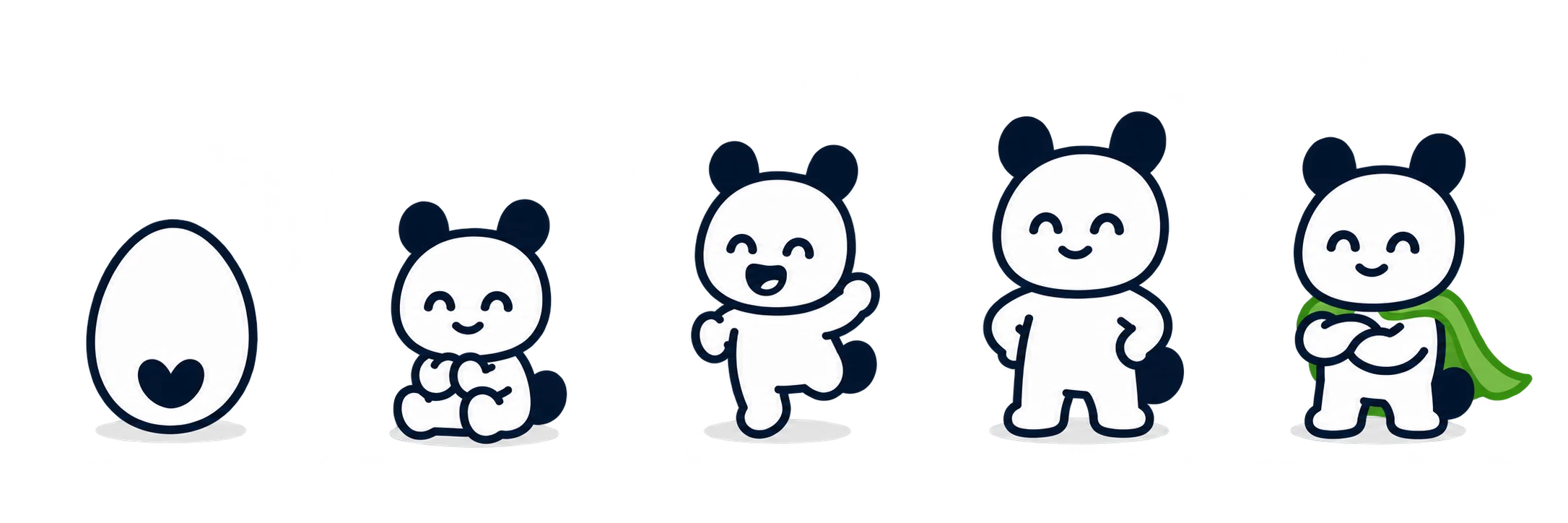
Development stages show your Niblon’s journey. Evolution combines the required Niblum with stage-specific missions.
A note, document, completed task or focus session can contribute to your activity and achievement history. Niblum (NLM) is the module’s progress unit.
Notes, documents and focus paths let you develop your character through different ways of using the app. Module availability depends on account permissions and rollout stage.
We are developing niblo.app as a place where an idea can become a note, a document and a practical plan. Advanced tools stay close to everyday life.
The dashboard, posts and saved content help you return to things that caught your attention. Contacts and messages support conversations around ideas.
Collect files in Drive, write a note and develop your content in Documents. Navigation stays close at hand while you work in the editor.
Calendar, reminders and focus sessions help you turn your materials into a next step, at your own pace.
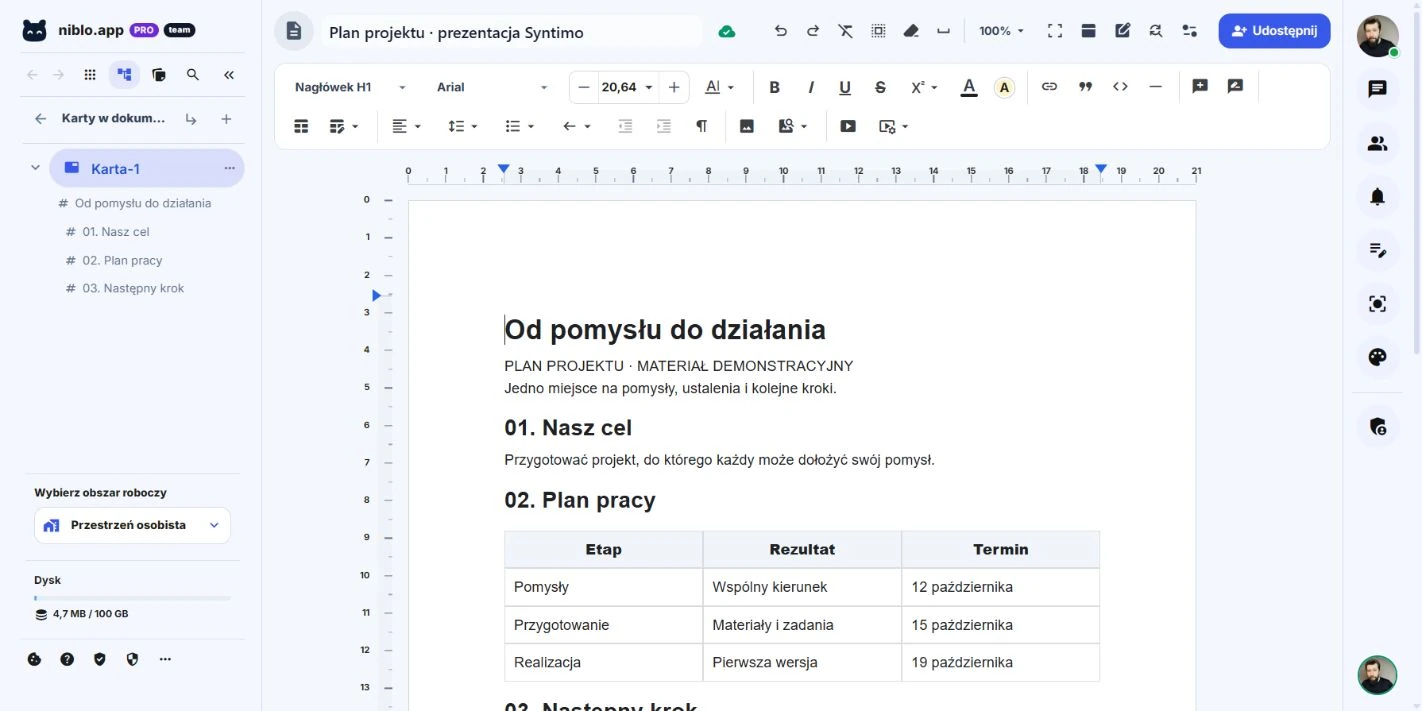
The advanced editor is already part of the app. The authentic screenshot below shows a project plan, its structure and content tools.
Split documents into tabs and use heading structure to navigate longer content.
Text styles, lists, tables, margins and page settings help create a readable document.
Add images and links. Build a plan, note or report with the context you need to take action.
Comments, suggested changes and sharing support work on shared content. Access depends on permissions.
Find and replace, undo an action, check the structure. Small improvements make a difference in longer documents.
Your document stays in niblo.app alongside files, notes and quick tools in the side panel.
Custom modules, an advanced editor and real-time communication. The stack supports documents, files and your personal workspace.
Module logic, validation, permissions and APIs in one environment.
Application components and a consistent design system, built with Vite.
Structured documents, formatting and extensible editorial tools.
Change synchronisation and infrastructure for shared content.
Real-time communication and queue processing.
Persistent application data, caching and asynchronous processing support.
Stack based on project dependencies and configuration, October 2026. Feature availability depends on the release, permissions and account configuration.
The current Documents editor in niblo.app: document tabs, heading structure and formatting tools. This sample project plan was prepared in the production app.
Authentic screenshots of production niblo.app, captured on 11 October 2026. The post and document were prepared for this presentation. The artwork in the post was made with AI assistance; the interface comes from the working application.
Visit niblo.app to explore the currently available features. The app’s capabilities grow as the product develops.
Syntimo is a shared brand and development direction. This does not automatically mean a single account, shared data or ready-made integrations across all apps. These capabilities must be confirmed for each product.
Authentic screenshots of production niblo.app, captured on 11 October 2026. The post and document were prepared for this presentation. The artwork in the post was made with AI assistance; the interface comes from the working application.
Tell us what you want to organise, create or develop.